Screenshots




App details
- Version
- 4.2.4.0729
- Size
- 40.11 MB
- Updated
- September 26, 2011
- Requires
- Windows 8
- Language
- English | German | French | Japanese | C...
- License
- Trial version
- Developer
- Xilisoft Corporation
- Category
- Windows OS
SoftPas in:
This product is also available in the following languages:
About Xilisoft iPod Magic
Download Xilisoft iPod Magic – Free, Secure iPod & iPhone Manager
Overview – Why Xilisoft iPod Magic Stands Out
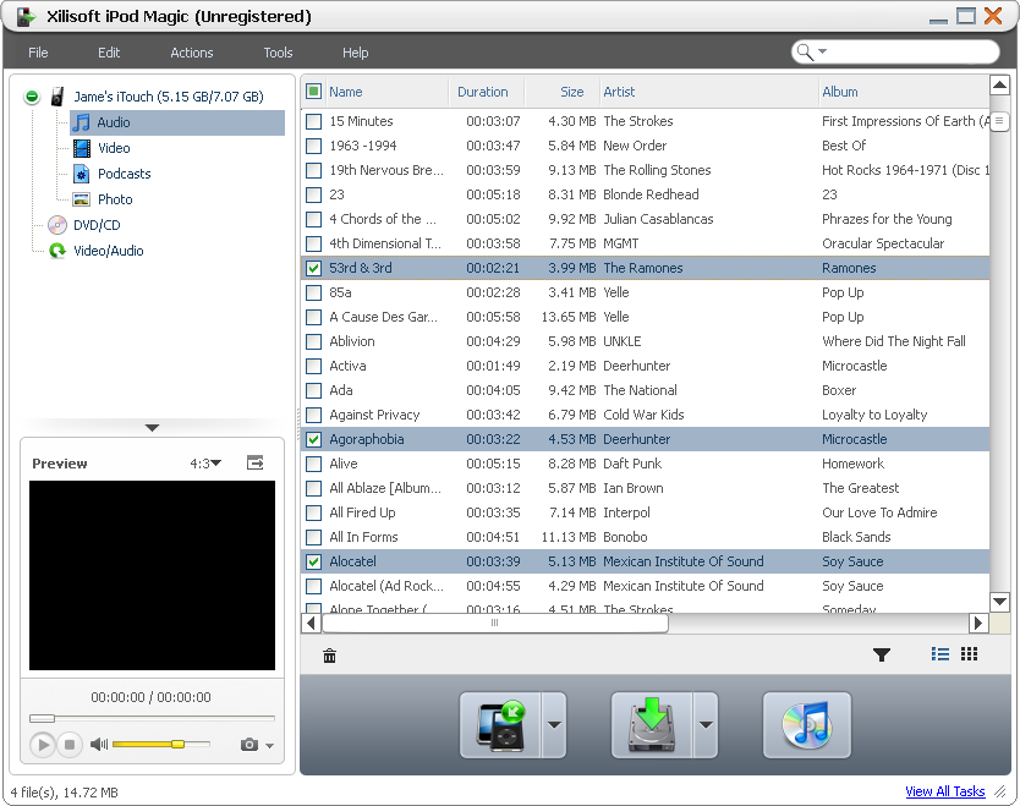
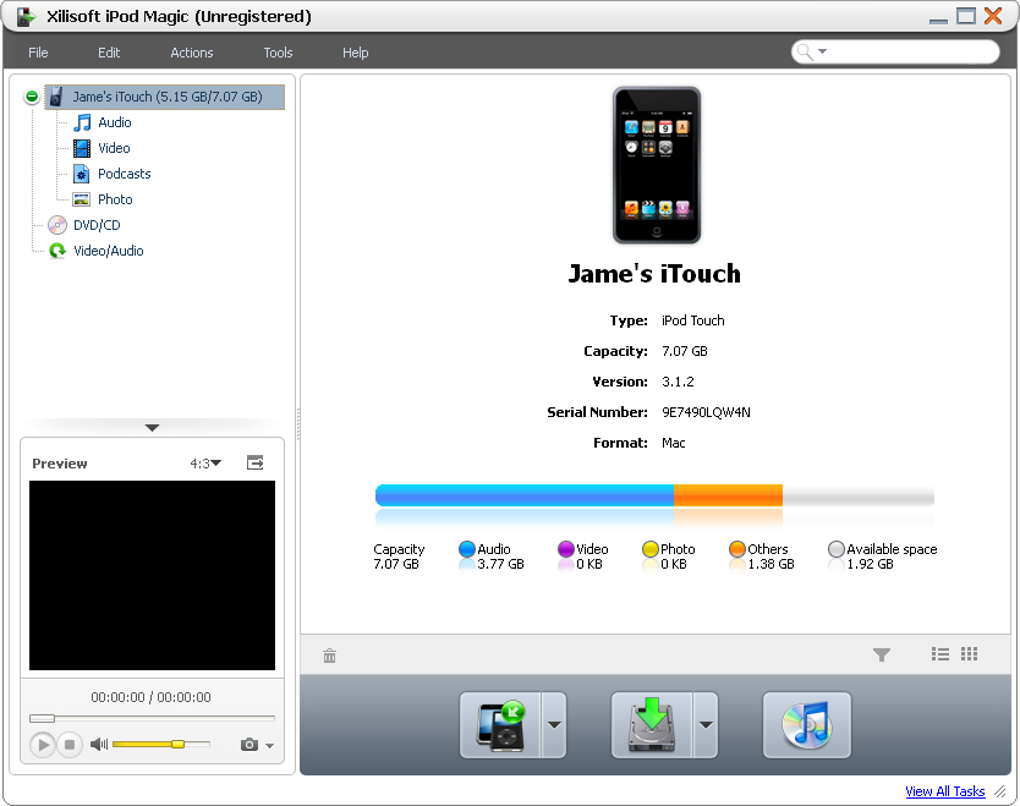
Xilisoft iPod Magic is a three‑in‑one device‑management solution that lets you bypass iTunes and take full control of your iPod or iPhone. Whether you want to rip DVDs, copy music, or transfer videos, the software handles the job with an intuitive drag‑and‑drop interface, automatic format conversion, and batch processing capabilities. The main window neatly categorises your device’s content into audio, video, podcasts, and photos, so you can see at a glance what’s stored on your Apple device. Three large action buttons – “Add to iPod”, “Export to PC”, and “Export to iTunes” – keep the workflow simple, while a built‑in preview window lets you watch a video as it’s being transferred.
Beyond the basics, Xilisoft iPod Magic offers on‑the‑fly conversion of virtually any media format to the Apple‑compatible standards, eliminating the need for separate converters. The DVD‑ripping wizard automatically detects the disc, encodes the video, and pushes it to your iPod, iPhone, or iTunes library with a single click. While the program can feel a bit sluggish when scanning large libraries and occasional iTunes‑integration glitches have been reported, the overall value for users who dislike iTunes’ restrictions is compelling.
In short, Xilisoft iPod Magic provides a secure, free‑to‑try alternative for anyone looking to manage multimedia on Apple devices without the bloat of iTunes. Its blend of simplicity, batch operations, and format‑agnostic conversion makes it a handy tool for music lovers, movie collectors, and casual users alike.
Feature Deep Dive – What Xilisoft iPod Magic Actually Does
- Three‑in‑One Management: Add files to iPod/iPhone, export files to PC, and sync directly with iTunes.
- On‑The‑Fly Conversion: Automatic transcoding of unsupported audio/video formats to Apple‑compatible codecs.
- DVD Ripping Wizard: Simple, one‑click conversion of DVDs to iPod/iPhone‑ready movies.
- Drag‑and‑Drop Interface: Move media between PC and device without navigating complex menus.
- Batch Transfer Support: Queue multiple files for simultaneous copying, saving time on large libraries.
- Preview Window: Real‑time video preview while transferring or converting.
- Library Categorisation: Separate views for audio, video, podcasts, and photos for quick navigation.
- Secure Transfer: All data moves over a local USB connection; no cloud upload required.
- Cross‑Platform Compatibility: Works on Windows 7/8/10/11 and macOS 10.12 and later.
- Free Trial & Low‑Cost License: Test the full feature set before purchasing a single‑user license.
Each feature is designed to reduce the friction that iTunes often introduces. For example, the on‑the‑fly conversion eliminates the need to pre‑process files with external tools, while the batch transfer function means you can sync an entire playlist in minutes instead of dragging each song individually. The DVD ripping wizard is particularly valuable for users who still own physical media but want to enjoy it on the go. By handling the heavy lifting of format conversion internally, Xilisoft iPod Magic ensures that every file you move ends up playable on your iPhone or iPod without additional tweaks.
The software also respects your privacy. All conversion happens locally; there’s no hidden upload to a server, which is a common concern with many “free” media managers. The clear, well‑designed UI keeps the learning curve shallow, making it accessible for both tech‑savvy users and those who simply want a plug‑and‑play solution.
Installation & Usage – Step‑by‑Step Guide
Downloading and Installing
Begin by visiting the official Xilisoft website and clicking the “Download iPod Magic” button. The installer is a lightweight .exe for Windows or a .dmg for macOS. Run the file and follow the on‑screen prompts: accept the license agreement, choose an installation folder (the default works for most users), and let the wizard copy the necessary components. After installation, launch the program; the first run may ask for administrator rights to access your device’s storage.
Connecting Your Device
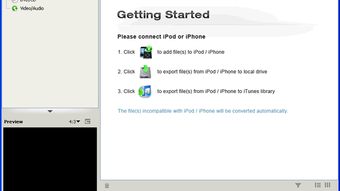
Connect your iPod or iPhone via a USB cable. Xilisoft iPod Magic automatically detects the device and displays its contents in four tabs: Audio, Video, Podcasts, and Photos. If the device isn’t recognized, ensure that iTunes (or the Apple Mobile Device Support driver) is installed, as the software relies on Apple’s driver stack for communication.
Transferring Media
To add files, click the “Add to iPod” button or simply drag your music, videos, or photos onto the corresponding tab. The software scans each file, converts it if necessary, and shows a progress bar. For bulk operations, select multiple items, right‑click, and choose “Add to Device.” To export, select the desired files in the device view and click “Export to PC” – the program will copy them to a folder you specify.
Ripping DVDs
Insert a DVD, then click the DVD icon on the toolbar. Xilisoft iPod Magic reads the disc, lets you choose a target format (iPod, iPhone, or iTunes), and begins conversion. You can monitor the process in the preview window; once complete, the movie appears in the Video tab ready for playback on your device.
Troubleshooting Common Issues
If the library takes a long time to load, give it a few minutes—especially if you have thousands of tracks. Should iTunes crash during an export, try updating both Xilisoft iPod Magic and iTunes to the latest versions. In rare cases where the software becomes unresponsive, restarting the program or reconnecting the device resolves the issue.
Compatibility, Performance, Pros & Cons
Xilisoft iPod Magic is compatible with Windows 7, 8, 10, 11 (both 32‑bit and 64‑bit) and macOS 10.12 (Sierra) through the latest macOS releases. It supports iPod Classic, iPod Nano, iPod Shuffle, iPhone 3GS and newer, and iPad models that run iOS 7 or later. The software communicates through Apple’s Mobile Device Support drivers, so having iTunes (or at least the driver package) installed is recommended for optimal performance.
Performance-wise, the program handles most conversion tasks quickly, especially when hardware acceleration is available. However, users have reported occasional sluggishness when scanning very large music libraries or when the device’s internal storage is nearly full. The UI can feel a bit laggy on older PCs, but the core functionality remains reliable.
Pros
- Eliminates the need for iTunes for everyday media transfers.
- Automatic format conversion saves time and avoids compatibility headaches.
- DVD ripping is integrated and requires only one click.
- Drag‑and‑drop and batch processing make large transfers painless.
- Preview window lets you verify video quality before committing.
- Secure local transfers keep your media private.
- Supports both Windows and macOS platforms.
Cons
- Initial library scan can be slow on extensive collections.
- iTunes integration sometimes causes crashes during export.
- Interface may feel dated compared to newer media managers.
- Limited to USB connections; no Wi‑Fi or Bluetooth sync.
- Full‑version license required for unlimited use after trial.
FAQ – Answers to the Most Common Questions
Can I use Xilisoft iPod Magic without iTunes installed?
The software relies on Apple’s Mobile Device Support drivers, which are installed with iTunes. While you don’t need to run iTunes, having the driver package (available as a separate download) ensures the device is recognized.
Is the DVD‑ripping feature legal?
Ripping DVDs you own for personal use is generally considered fair use in many jurisdictions, but you should check local laws. Xilisoft iPod Magic does not remove copy‑protection; it works with non‑encrypted discs.
What video formats does the software convert to?
The program converts to iPod/iPhone‑compatible MP4 (H.264 video, AAC audio) and also supports legacy formats like M4V for older devices.
Can I transfer photos and podcasts as well?
Yes. The interface separates photos and podcasts into their own tabs, allowing you to drag‑and‑drop or batch‑transfer these files just like audio and video.
Is there a Mac version of Xilisoft iPod Magic?
A macOS version is available and supports the same core features, though the UI is slightly adjusted for Apple’s design guidelines.
Final Verdict – Should You Download Xilisoft iPod Magic?
For users who find iTunes restrictive or cumbersome, Xilisoft iPod Magic delivers a practical, free‑to‑try solution that covers the essential tasks of adding, exporting, and converting media. Its built‑in DVD ripping and batch capabilities save time, while the straightforward UI keeps the learning curve low. Minor performance quirks and occasional iTunes crashes are the main drawbacks, but they don’t outweigh the convenience of a dedicated manager that works across Windows and macOS. If you’re looking for a secure, on‑device way to keep your iPod or iPhone media up to date without the bloat of iTunes, this tool is worth a download.
Ready to take control of your Apple device? Download Xilisoft iPod Magic now and enjoy a smoother, iTunes‑free experience.
Guides & Tutorials
How to install Xilisoft iPod Magic
- Click the Download button above.
- Once redirected, accept the terms and click Install.
- Wait for the Xilisoft iPod Magic download to finish on your device.
How to use Xilisoft iPod Magic
This software is primarily used for its core features described above. Open the app after installation to explore its capabilities.
User Reviews
No reviews yet. Be the first to share your experience.
You may also like
more
Llama 2
Free-to-use large language model As the new addition to Meta’s arsenal of langua...

NotebookLM
Revolutionizing the note-taking and idea-generation process NotebookLM is an exp...

Github co pilot
AI-inspired software development and coding platform GitHub Copilot is a browser...

Google Gemma
Google’s lightweight AI models Introducing Google Gemma , a family of cutting-ed...

AI Image Enlarger
A free app for Windows, by ai-image-larger. AI Image Enlarger is a free software...

DALL E
AI-driven text-to-image transformation engine DALL·E is a free graphic and desig...